Capo2Keys : A Tool for Converting Guitar Chord Charts for Piano

Well hello, it's been a hot minute since I've last posted on this blog but so much has gone on since my last post about Docker almost 2 years ago. I've not had as much free time but I've been busy working on a bunch of new articles and coding ideas.
Plus thanks to the almost daily advances of AI, it's meant that I can now tackle projects in a much more efficient and productive way.
With that out of the way, here's a little something I vibe-coded while I was procrastinating over something else and wanted to see how AI would stack up as a coding partner.
I took up learning the piano towards the end of 2024 but have played guitar for much longer than that. I loved being able to pick up the guitar with a capo and play songs from Chord sheets on the internet. The main problem being that my music theory was not good enough to be able to easily transpose these to Piano especially when those chord sheets have lyrics.
I was able to get ChatGPT to transpose a lot of these by copying and pasting in the content that it converted and I would then convert these to a PDF manually. It was a tedious process that worked quite well until it didn't anymore.
As we got the end of November 2025, songs were failing due to errors that first didn't make sense as some worked and some didn't. This seemed to be combination of copyright issues with the song lyrics and that due to that sometimes ChatGPT would either choke, give me one verse or tell me that it wasn't designed to do this in an error message.

With that out of the way, here's a little something I vibe-coded while I was procrastinating over something else and wanted to see how AI would stack up as a coding partner.
Capo2Keys
Introducing Capo2Keys, a GUI tool built in Flask but deployed as a Docker container with Web UI to help convert and then export, guitar capo chord charts into piano-ready keys as a PDF and TXT file, all while preserving lyrics and chord structure.

 reprodev
As I couldn't find anything else out there to do this and so Capo2Keys (originally named Chordbox and then CapoToKeys) was created.
I used Codex from ChatGPT in Visual Studio Code on Windows to a bit of vibe-coding. The plan was to have this realised as a Docker container that I could spin up when I needed and an accompanying Python application as proof of concept for a Desktop version.
This is also my first time using GitHub actions with GitHub secrets (GitHub PAT) to build a Docker image that I can now pull using a Docker Compose or Docker Run command just like some of my favourite Docker based applications.
I hope you get as much use out of this as I do and feel free to make suggestions to make this more useful to everyone.

Key Features
- Transpose by capo value (
0-11semitones) - Keep lyrics and chord formatting intact
- Generate both
.txtand.pdfoutputs - Conflict-safe output naming (
suffixoroverwrite) - Archive view grouped by song set
- Docker deployment with Docker Compose file + GHCR image publishing
For now I'd suggest that you use the Docker version as the Python version works but can bring up a security alert on Windows. Not malicious but can be annoying.
Prerequisites
- Docker Desktop on Windows or WSL (or both)
- Docker installed on Linux
- Docker installed on MacOS
- Python (For the Desktop Version)
- Some Guitar Chords with or without Capo you want to play on Piano
Instructions
Docker Run
This is the quickest and easiest way to get started for you to try it out. You can do it in one command below to get started
You can copy and run the below in your terminal and it'll be up and running.
docker pull ghcr.io/reprodev/capo2keys:latest
docker run -d \
  --name capo2keys \
  -p 4506:4506 \
  -v "./data:/data" \
  ghcr.io/reprodev/capo2keys:latest
Go to http://localhost:4506 in your browser on the machine you've run the command on to get to the WebUI.
Extra technical details for those who may find it interesting with a breakdown of this command line by line to explaining how it works.
- Pulls the latest Docker Image from the GitHub Container Registry (GHCR) which is built by GitHub actions when the code is changed.
docker pull ghcr.io/reprodev/capo2keys:latest
- Runs the downloaded image in detached mode so you don't have to keep the terminal session and it runs in the background
docker run -d \- Sets the name of the new container as capo2keys
--name capo2keys \- Set the exposed port (the one you would connect to, on the left), this case 4506 and it's internal port (the port that Docker uses internally on it's Docker Network) on the right, in this case also 4506.
-p 4506:4506 \- Sets the volume where the data will be stored on the host machine for a bind mount on the left, in this case a folder inside where this is run called ./data on the left and the one it refers to in docker on the right /data.
-v "./data:/data" \
- This states the name and location of the docker image if you haven't pulled it yet
ghcr.io/reprodev/capo2keys:latestThere are other methods for using Docker Compose and the Python Desktop version but I'll only focus on the Docker Run version so we can get down to actually using this application.
How to use Capo2Keys
- Go ahead and run it using the method you've chosen, we're looking at the Docker Run version.
- Run the command and then point your browser to http://localhost:4506 to get to the main WebUI that we call the Generator
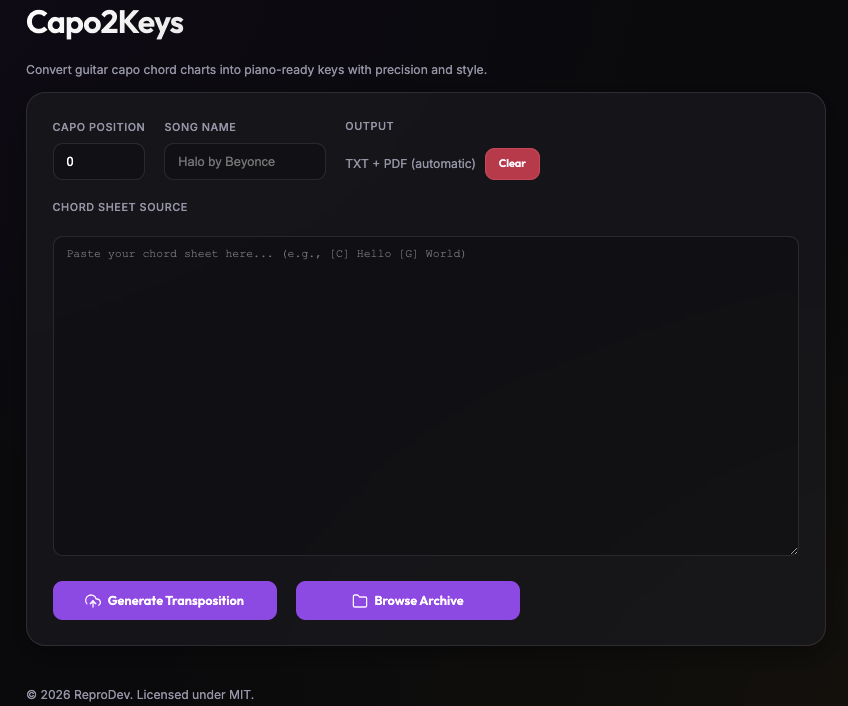
- Copy and paste the chords you need and add the Capo Number Position that it would be played on a guitar with.
- As a bonus you can also keep the capo at 0 to keep the chords and lyrics unchanged if you're looking to archive some rare music to PDF.
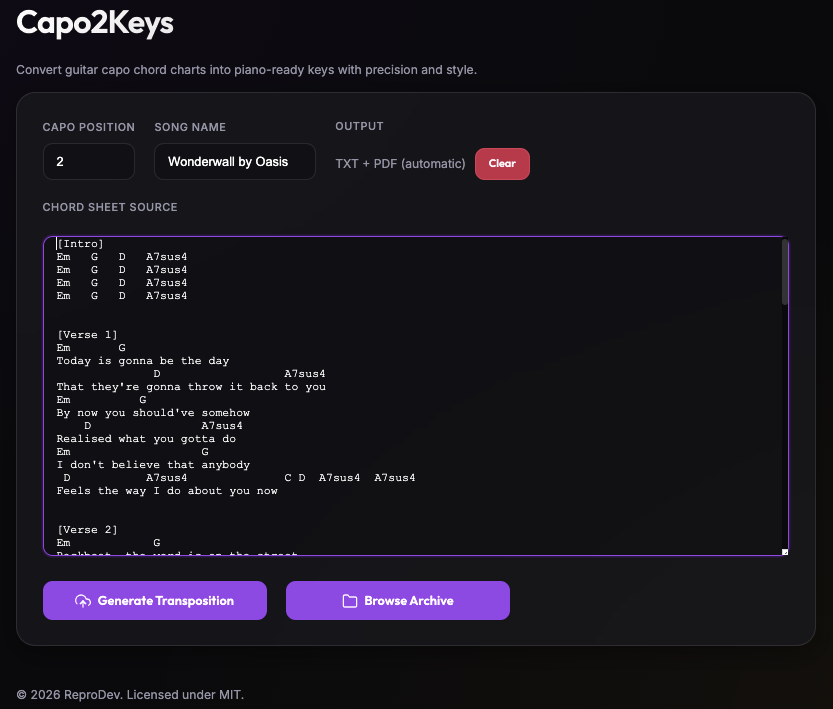
- Click Generate Composition
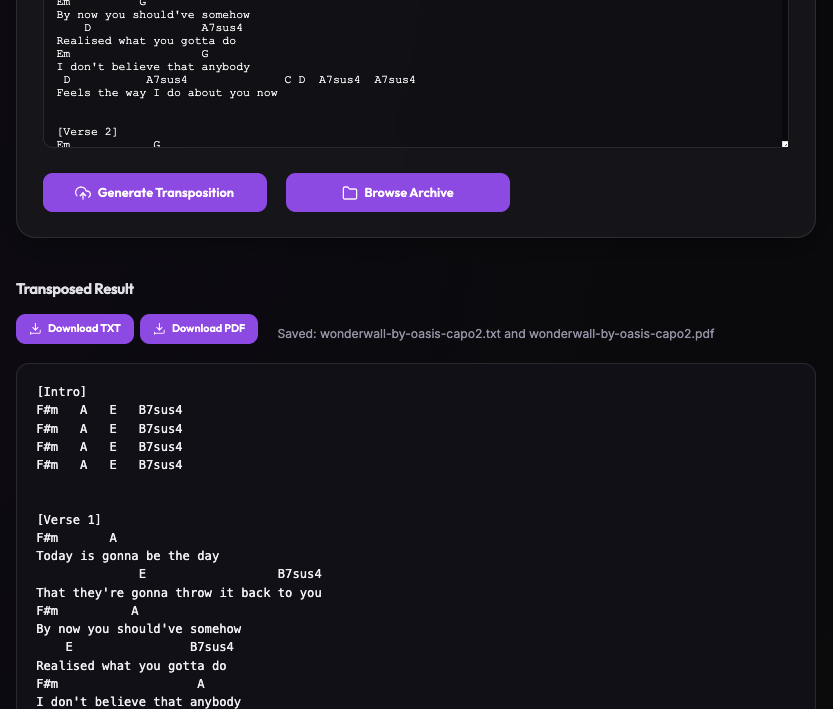
- This will produce a TXT and PDF version which you can download straight this page using the buttons.
- You can use the Clear button to clear all text boxes and paste in another chord sheet if you like.
- To download your previous chords or view them in browser straight away then click Browse Archive to head to the Archive.
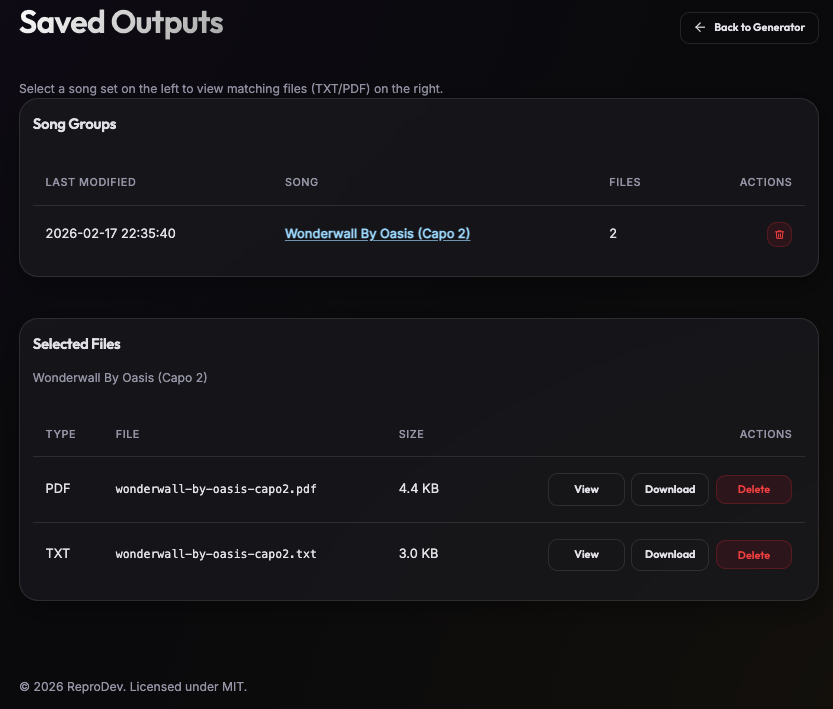
- From here the files are grouped in pairs of TXT and PDF so you can either view from the list or download here as well.
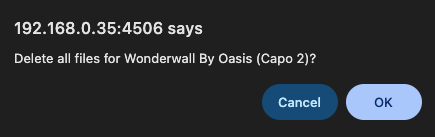
- If you want to delete some you used the wrong capo on or just to do a little spring cleaning you can use the trashcan next to the group you want to remove and it'll delete them from the archive.
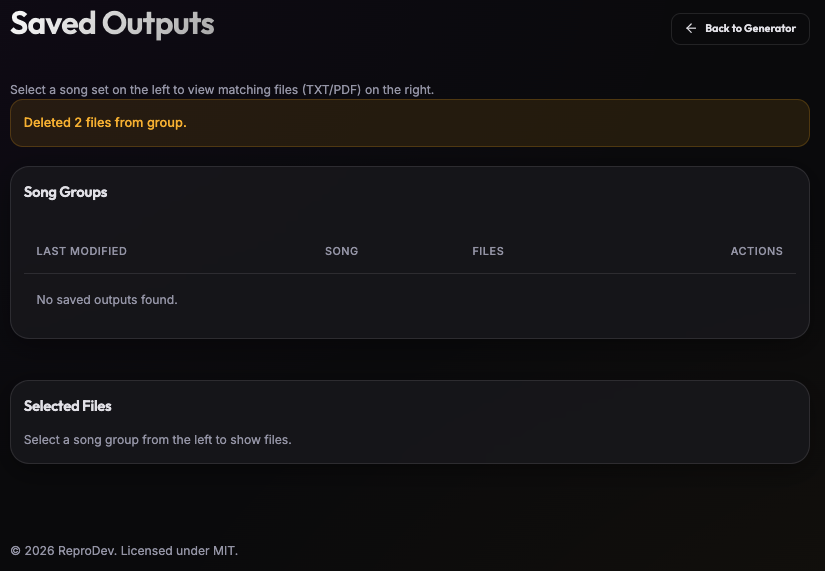
- Click Back to Generator in the top right to go back to the Main Menu and paste some more chords.
That wraps up how to run and then use the Capo2Keys application and the first of some new applications I've been developing on my GitHub. Feel free to check out my other projects on there and submit your bugs or suggestions in the repository.
 reprodev
This was a great project to start learning more about how to use AI to help with designing, coding, testing and then finally deploying an application from idea to working prototype in just an hour or so.
Personally, I've also learnt a bunch about how Git can be used to develop across multiple machines and the importance of version control.
There's more to come from the AI revolution but right now it's letting sparks of an idea come to life in record time.

Don't forget to explore the rest of our website as we build out more content. Stay tuned for more tutorials, tips, and tricks to help you make tech work for you.
If you want to stay up-to-date with regular updates, make sure to subscribe to our free mailing list.